Our Short List of 3
All 4 Picks at a Glance
| Product | Specs | Action |
|---|---|---|
 Lenovo Legion Pro 7i Gen 10 | Check price on Amazon | |
 Lenovo Legion Pro 5i Gen 10 | Check price on Amazon | |
 Acer Nitro V 15 (ANV15-52) | Check price on Amazon | |
 HP Victus 15 | Check price on Amazon |
Key takeaways
- Four gaming laptops compared on GPU power, CPU, display, memory and cooling: Legion Pro 7i, Legion Pro 5i, Acer Nitro V 15 and HP Victus 15 specs laid out.
As an Amazon Associate, we earn from qualifying purchases made through links on this page.
A gaming laptop is a bundle of compromises held together by a cooling system. The graphics chip decides how high you can push resolution and settings, the processor feeds that chip with data, the screen decides how much of the resulting frame rate you actually see, and the chassis decides how long the hardware can hold its boost clocks before heat forces it to slow down. Two machines with the same GPU name on the box can behave very differently once power limits, memory capacity and panel quality enter the picture.
This guide compares four current gaming laptops on published manufacturer specifications alone: the Lenovo Legion Pro 7i Gen 10 at the flagship end, the Lenovo Legion Pro 5i Gen 10 as the upper mid-range option, the Acer Nitro V 15 as the lighter current-generation value pick, and the HP Victus 15 as the entry point built around a previous-generation graphics chip. Each section below lists the exact configuration tied to the linked listing, explains who that configuration suits, and names the limits that follow directly from the spec sheet. Read the sections in order if you want the full picture, or jump to the comparison table for the short version.
What to look for in a gaming laptop
Graphics chip and its power limit. The GPU does most of the work in games, and its wattage ceiling (often listed as TGP) matters almost as much as its name. A higher power limit lets the chip hold higher clock speeds under sustained load. Video memory matters too: 8 GB is workable at 1080p and 1440p with sensible texture settings, 6 GB forces compromises in newer titles, and 16 GB gives high-resolution textures and future releases far more headroom.
Processor. Modern gaming laptops pair their GPUs with high-wattage HX or HS class processors. Core counts beyond eight mainly help streaming, compiling and content creation running beside a game; for pure play, per-core speed and cache size carry more weight. Every processor in this guide is strong enough that the GPU will be the limiting factor in nearly all titles.
Display. Match the panel to the GPU. A 240 Hz screen only earns its keep when the graphics chip can feed it high frame rates, while a 165 Hz panel paired with a mid-range GPU is a balanced combination. Resolution is the other half of the equation: a 2560 x 1600 panel looks sharper but demands roughly twice the rendering work of 1920 x 1080. OLED panels add deep contrast and fast response times, though they use glossy coatings on the models here.
Memory and storage. 16 GB of RAM is the working minimum for gaming alongside a browser and voice chat; 32 GB removes memory pressure from the equation entirely. For storage, 512 GB fills quickly when single games can occupy well over 100 GB, so 1 TB is the comfortable baseline, and a second M.2 slot is worth having if you plan to expand later.
Cooling, battery and weight. Gaming laptops are plugged-in machines first. Battery capacity in watt-hours tells you how long the machine handles light work away from the wall, not how long it games; full-power play drains any of these batteries quickly. Weight also needs honest reading: a 2.5 kg laptop plus a large power brick is a desk machine that can move, not a daily carry.
Ports. Look for HDMI 2.1 for an external display, at least one USB-C port with display output for docks and monitors, and wired Ethernet if your router sits near your desk, since a cable removes wireless latency from the equation.
Lenovo Legion Pro 7i Gen 10
The flagship configuration in this guide pairs an Intel Core Ultra 9 275HX processor (24 cores, boost clocks up to 5.4 GHz) with an NVIDIA GeForce RTX 5080 laptop GPU carrying 16 GB of GDDR7 memory and a 175 W power ceiling, the highest GPU wattage in this roundup. Lenovo fits 32 GB of DDR5-6400 memory across two slots and a 1 TB PCIe Gen 5 NVMe SSD, with a second M.2 slot in the chassis for expansion. The 16-inch WQXGA (2560 x 1600) OLED panel runs at 240 Hz with a rated 500 nits of brightness and G-SYNC support, and the 99.9 Wh battery is the largest capacity aviation rules allow. Connectivity includes Thunderbolt 4, USB-C with display output, three USB-A ports, HDMI 2.1, 2.5 gigabit Ethernet and Wi-Fi 7, and the power adapter is a 400 W unit.
This is the pick for players who game at 1440p or on the 1600p internal panel with settings turned up, and for anyone who also edits video or compiles code on the same machine. The RTX 5080’s 16 GB of video memory and full power limit give it the longest useful life of the four.
The limits follow from the same spec sheet. At 2.57 kg before the 400 W adapter goes into the bag, this is the heaviest machine here. The glossy OLED panel reflects overhead lighting, and the big battery still drains fast when the GPU runs at full power away from the wall.
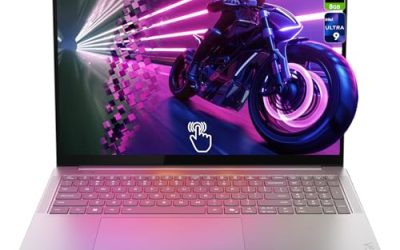
Lenovo Legion Pro 5i Gen 10
One step down the Legion line, the Pro 5i Gen 10 uses an Intel Core Ultra 7 255HX (20 cores, up to 5.2 GHz) and an NVIDIA GeForce RTX 5060 with 8 GB of GDDR7 memory running at up to 115 W, a healthy power figure for this GPU class. The configuration linked here carries 32 GB of DDR5 memory and a 1 TB SSD, matching the flagship on capacity while stepping down on speed. Its 16-inch WQXGA (2560 x 1600) OLED panel runs at 165 Hz with G-SYNC, Lenovo rates the battery at 80 Wh, the webcam is a 5 MP unit with an electronic shutter, and Wi-Fi 7 is included. Weight begins at about 2.43 kg and the adapter is a 245 W unit.
This suits players who want the sharp 1600p OLED experience and strong 1080p to 1440p performance without moving to flagship hardware. The generous memory and storage mean no immediate upgrades are needed, and the 115 W GPU ceiling keeps the RTX 5060 near the top of its own performance band.
Its limits are clear on paper. The RTX 5060 is a large step below the RTX 5080 in raw throughput, and 8 GB of video memory asks for texture adjustments in the most demanding titles at native resolution. The 80 Wh battery is a fifth smaller than the Pro 7i’s, and the 165 Hz panel, while well matched to the GPU, gives competitive players less headroom than a 240 Hz screen.
Acer Nitro V 15 (ANV15-52)
Acer’s Nitro V 15 takes a different route: a compact 15.6-inch chassis, an Intel Core i5-13420H processor (8 cores, up to 4.6 GHz) and an NVIDIA GeForce RTX 5060 with 8 GB of GDDR7 memory. The linked configuration (model suffix 586Z) carries 16 GB of memory and a 1 TB PCIe 4.0 SSD, and the display is a Full HD (1920 x 1080) IPS panel at 165 Hz. The battery is rated at 76 Wh, the machine weighs 2.11 kg, the adapter is a compact 135 W unit, and the port set includes Thunderbolt 4, HDMI 2.1, three USB-A ports and Ethernet. A 720p webcam handles calls.
This is the pick for 1080p players who move the machine around often. The RTX 5060 at Full HD has comfortable headroom for high settings, the 165 Hz panel matches the GPU well, and the low weight plus small adapter make it the easiest of the four to carry between rooms or buildings.
The spec-based compromises are equally plain. The Core i5-13420H comes from an older processor generation with fewer cores than the HX chips above, which shows in heavy multitasking rather than in games. The Full HD panel gives up the sharpness of the 1600p screens, the webcam is a basic 720p unit, and 16 GB of memory is adequate rather than generous, though Acer rates the chassis for expansion to 32 GB.
HP Victus 15
The Victus 15 is the entry point of this group. The linked configuration runs an AMD Ryzen 7 7445HS processor (6 cores, up to 4.7 GHz) with an NVIDIA GeForce RTX 4050 carrying 6 GB of GDDR6 memory, 16 GB of DDR5 memory and a 512 GB SSD. The 15.6-inch Full HD IPS panel refreshes at 144 Hz, the battery is rated at 70 Wh, wireless is Wi-Fi 6, and the port set covers HDMI 2.1, one USB-C, two USB-A and Ethernet. Weight is 5.06 pounds, roughly 2.29 kg, and the keyboard is backlit with a numeric keypad.
This suits players whose libraries lean on esports titles and slightly older releases, where the RTX 4050 holds high frame rates at 1080p without strain, and anyone moving up from integrated graphics who will feel the jump in every game they own.
The limits are the tightest here. Six gigabytes of video memory is the binding constraint in current releases and forces texture settings down at 1080p. The 512 GB SSD fills after a handful of large installs, the six-core processor leaves less room for background tasks while gaming, and Wi-Fi 6 trails the Wi-Fi 7 radios in the other three machines.
Comparison table
| Model | Processor | Graphics | Memory / Storage | Display | Battery | Weight |
|---|---|---|---|---|---|---|
| Lenovo Legion Pro 7i Gen 10 | Core Ultra 9 275HX | RTX 5080, 16 GB GDDR7, 175 W | 32 GB DDR5 / 1 TB Gen 5 SSD | 16″ 2560 x 1600 OLED, 240 Hz | 99.9 Wh | 2.57 kg |
| Lenovo Legion Pro 5i Gen 10 | Core Ultra 7 255HX | RTX 5060, 8 GB GDDR7, 115 W | 32 GB DDR5 / 1 TB SSD | 16″ 2560 x 1600 OLED, 165 Hz | 80 Wh | from 2.43 kg |
| Acer Nitro V 15 | Core i5-13420H | RTX 5060, 8 GB GDDR7 | 16 GB / 1 TB SSD | 15.6″ 1920 x 1080 IPS, 165 Hz | 76 Wh | 2.11 kg |
| HP Victus 15 | Ryzen 7 7445HS | RTX 4050, 6 GB GDDR6 | 16 GB DDR5 / 512 GB SSD | 15.6″ 1920 x 1080 IPS, 144 Hz | 70 Wh | 2.29 kg |
FAQ
How much video memory does a gaming laptop need?
For 1080p play, 8 GB handles current titles with sensible texture settings. Six gigabytes already forces reductions in newer releases, while 16 GB suits 1440p and 1600p panels and leaves room for future games. Match the memory figure to the screen resolution you will actually use.
Does a higher GPU power limit really change performance?
Yes. Laptop GPUs ship in several wattage bands under the same name, and a higher ceiling lets the chip sustain higher clocks under load. The gap between a low-power and full-power version of one GPU can be larger than the gap between adjacent GPU tiers, which is why this guide lists the wattage wherever the manufacturer publishes it.
Is 16 GB of RAM enough, or should I look for 32 GB?
16 GB runs games comfortably when little else is open. 32 GB is the safer figure if you keep a browser, chat and capture software running at the same time, and it removes memory from the list of things to upgrade later. Both Legion models here ship with 32 GB; the Acer and HP ship with 16 GB.
Can these laptops game on battery power?
Only in a limited sense. Away from the wall, gaming laptops reduce GPU power to protect the battery, and a full-power session drains even a 99.9 Wh pack quickly. Treat the battery figures in this guide as a measure of light-work endurance and portability between outlets, not of unplugged play time.
Which of these four is easiest to carry every day?
The Acer Nitro V 15, on the numbers: 2.11 kg for the laptop and a 135 W adapter, against 2.43 kg and up for the 16-inch models with adapters rated at 245 W and 400 W. The HP Victus 15 sits between them at 2.29 kg.
Conclusion
The four machines in this guide divide cleanly by graphics hardware. The Legion Pro 7i Gen 10 is the no-compromise pick, with the strongest GPU, the most video memory and the fastest panel, at the cost of the most weight. The Legion Pro 5i Gen 10 keeps the sharp OLED screen and generous memory while stepping the GPU down a class. The Acer Nitro V 15 trades panel resolution and processor cores for the lightest chassis here while keeping a current-generation GPU, and the HP Victus 15 covers the entry tier for 1080p libraries built around lighter titles. Decide by the resolution you play at and the video memory it demands, and the right model from this list usually names itself.