Key takeaways
- Find the best 16-inch creator laptop for software development: five picks with strong CPUs, discrete graphics, sharp displays and ample memory.
A 16-inch creator laptop for software development is really a decision about how you spend your working hours. The extra screen space lets an editor, a terminal, and a browser sit side by side without constant window juggling, while a strong processor shortens build times and a capable graphics chip handles local AI tools, rendering, and game work. Picking the wrong balance means either a machine that stutters under containers and virtual machines or a heavyweight that never leaves the desk.

This guide is for developers who write code most days and also edit video, design interfaces, or run creative tools on the same machine. Every laptop below was chosen from the names and specifications shown on its Amazon product page, with the exact configuration stated so you can match it to the listing before buying.
Quick Picks
As an Amazon Associate we earn from qualifying purchases
| Product | Best for | Key spec |
| Apple MacBook Pro 16 M4 Pro | Apple-platform development with long battery sessions | 16.2-inch Liquid Retina XDR display, M4 Pro chip, 24GB unified memory |
| Dell XPS 16 9640 | A polished Windows all-rounder for coding and media work | 16.3-inch WUXGA display, Intel Core Ultra 7 155H, RTX 4050 |
| Lenovo ThinkPad P16 Gen 2 | Heavy builds, virtual machines, and workstation duties | 16-inch FHD+ IPS display, Core i9-13980HX, 64GB RAM |
| HP ZBook Firefly 16 G11 | A portable workstation for developers who move between sites | 16.0-inch IPS FHD+ display, Core Ultra 7 155U, 32GB DDR5 |
| GIGABYTE AERO X16 | Creator workloads with a fast high-refresh display | 16-inch WQXGA 165Hz display, Ryzen AI 7 350, RTX 5060 |
How to Choose
Screen size and display quality
A 16-inch panel changes how code feels because two panes stay readable at once, which cuts down on scrolling and switching. Resolution matters just as much as size: a sharp panel keeps small text legible during long sessions, and accurate colour helps when the same machine is used for interface design or photo work. Touch support is a bonus for some creators, not a requirement for most developers. Before settling, check the listed resolution, panel type, and brightness on the product page, and remember that a glossy screen can reflect office lighting while a matte or anti-glare finish stays calmer under bright lamps.
Processor and memory for builds
Compiling large projects, running test suites, and keeping containers alive all lean on the processor and memory together. A modern multi-core chip finishes builds sooner, and generous RAM keeps an IDE, a browser full of tabs, a database, and a virtual machine from fighting each other. Sixteen gigabytes is workable for lighter web work, while thirty-two or sixty-four gives far more headroom for Android emulators, Docker stacks, and local AI models. Check whether the memory is soldered or upgradeable on the listing, since a machine with fixed memory locks in that decision for its whole life.
Graphics and local AI work
Not every developer needs a powerful discrete graphics chip, yet it earns its place quickly once rendering, video editing, 3D previews, or on-device AI enter the workflow. A dedicated GPU also speeds up GPU-accelerated tooling and keeps the interface smooth when several monitors are attached. For pure backend or web work, integrated graphics can be enough, and skipping a discrete chip often means a quieter, cooler machine. Match the graphics chip to the heaviest task you actually run each week, and confirm the exact GPU model and its video memory in the listing rather than assuming every configuration of a model line carries the same chip.
Keyboard, ports, and everyday carry
A laptop you type on for eight hours needs a keyboard with comfortable travel, a layout you can trust without looking, and a trackpad that tracks precisely. Ports decide how painless your desk setup is: Thunderbolt or USB-C with display output, an HDMI port, and a full-size card slot reduce the need for dongles. Weight and thickness matter once the machine travels, so compare the listed dimensions against the bag you already carry. Battery life claims also deserve a careful read, since a creator laptop under load behaves very differently from the same machine idling with a document open.
The 5 Best Options
Apple MacBook Pro 16 M4 Pro
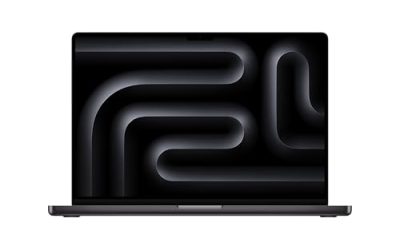
Apple’s 16-inch MacBook Pro pairs the M4 Pro chip with a large, bright Liquid Retina XDR display, making it a natural fit for developers who build for Apple platforms and also cut video or design on the same machine. The 14-core CPU and 20-core GPU handle compiling, simulators, and creative apps without the fan drama of many Windows workstations, and the three Thunderbolt 5 ports plus HDMI keep a multi-monitor desk simple. macOS developers get Xcode and the Apple toolchain natively, while the unified memory architecture keeps large projects responsive.
Specs
- 16.2-inch Liquid Retina XDR display with 1600 nits peak brightness
- Apple M4 Pro chip with 14-core CPU and 20-core GPU
- 24GB unified memory
- 512GB SSD storage
- Space Black finish, model MX2X3LL/A
- Three Thunderbolt 5 ports, MagSafe 3, SDXC card slot, and HDMI port
Best for: Developers building for macOS or iOS who want a large, colour-accurate screen and strong sustained performance.
Watch out for: Check software compatibility first, since some Windows-only tools need a virtual machine or an alternative on macOS.
ASIN: B0DLHDCN6P
Dell XPS 16 9640
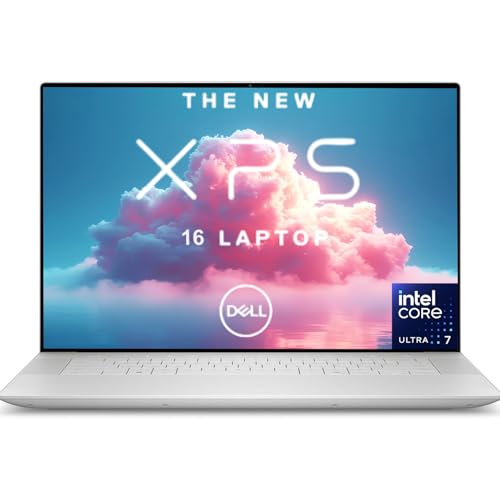
Dell’s XPS 16 9640 is a refined Windows laptop that balances a slim aluminium chassis with a dedicated RTX 4050 graphics chip, so it covers coding, light rendering, and media editing in one machine. The 16.3-inch WUXGA display gives plenty of room for split editor layouts, and the Core Ultra 7 155H processor handles everyday builds and multitasking comfortably. A backlit keyboard and Windows 11 round out a setup that suits developers who want a premium-feeling machine without stepping up to a full mobile workstation.
Specs
- 16.3-inch WUXGA display, 1920 x 1200 resolution
- Intel Core Ultra 7 155H processor
- NVIDIA GeForce RTX 4050 graphics
- 16GB DDR5 RAM
- 2TB PCIe SSD plus 512GB external storage as listed
- Windows 11 with backlit keyboard
Best for: Windows developers who want a sleek, portable creator laptop for coding plus occasional video and design work.
Watch out for: The listed storage bundle includes external storage, so confirm exactly what ships in the box before ordering.
ASIN: B0G75TL4V2
Lenovo ThinkPad P16 Gen 2
Lenovo’s ThinkPad P16 Gen 2 is a true mobile workstation, built for developers whose days involve heavy compilation, virtual machines, and professional graphics work. Its 24-core Core i9-13980HX processor and 64GB of RAM leave enormous headroom for containers, emulators, and large datasets running at once, while the RTX 2000 Ada graphics chip supports CAD, rendering, and GPU-accelerated tooling. The anti-glare FHD+ IPS display stays readable under office lighting, and the classic ThinkPad keyboard is made for long typing sessions.
Specs
- 16-inch FHD+ IPS anti-glare display
- Intel Core i9-13980HX processor with 24 cores
- 64GB RAM
- 2TB SSD storage
- NVIDIA RTX 2000 Ada graphics with 8GB memory
- Windows 11 Pro
Best for: Developers running heavy builds, multiple virtual machines, and workstation-class tools from one laptop.
Watch out for: This is a large, powerful workstation, so check its weight and dimensions against your bag and travel routine.
ASIN: B0FCX8FFYP
HP ZBook Firefly 16 G11
HP’s ZBook Firefly 16 G11 takes the workstation idea in a more portable direction, pairing a 16-inch IPS display with a Core Ultra 7 processor and 32GB of DDR5 memory. It suits developers who move between home, office, and client sites and need a dependable machine for coding, documentation, and design tools without carrying a bulky workstation. Two Thunderbolt 4 ports, a fingerprint reader, and a backlit keyboard cover the practical details, and Windows 11 Pro fits managed work environments and business software.
Specs
- 16.0-inch IPS FHD+ display
- Intel Core Ultra 7 155U processor
- 32GB DDR5 memory
- 1TB SSD storage
- Backlit keyboard and fingerprint reader
- Two Thunderbolt 4 ports
- Windows 11 Pro
Best for: Developers who travel between workplaces and want workstation reliability in a more portable 16-inch machine.
Watch out for: This configuration does not list a discrete graphics chip, so confirm the graphics setup if you run GPU-heavy rendering or 3D tools.
ASIN: B0DVWR2JLD
GIGABYTE AERO X16
Gigabyte’s AERO X16 is a creator laptop aimed squarely at developers who also render, edit, and preview visual work, with a fast 165Hz WQXGA display and an RTX 5060 graphics chip. The Ryzen AI 7 350 processor and 16GB of DDR5 memory keep builds and multitasking moving, while the 1TB SSD gives room for projects, assets, and local models. Its Copilot+ positioning and high-refresh panel make it a lively choice for coders who switch between an editor and a timeline all day.
Specs
- 16-inch WQXGA display, 2560 x 1600 resolution, 165Hz refresh rate
- AMD Ryzen AI 7 350 processor
- NVIDIA GeForce RTX 5060 graphics
- 16GB DDR5 RAM
- 1TB SSD storage
- Windows 11 Home
- Space Gray finish
Best for: Developers who combine coding with video editing, rendering, or other graphics-heavy creator work.
Watch out for: The listed memory is 16GB, so check whether that is enough for your heaviest container or emulator setup before buying.
ASIN: B0FDM8D8HQ
Which One Fits Your Situation
You build Apple apps all day
Choose the Apple MacBook Pro 16 M4 Pro if your work centres on Xcode, simulators, and the Apple ecosystem. Its large XDR display keeps code and Interface Builder side by side, the M4 Pro chip compiles swiftly, and the Thunderbolt 5 ports drive external monitors cleanly. Developers who already use an iPhone or iPad will also appreciate how smoothly the devices work together.
You run heavy builds and virtual machines
Pick the Lenovo ThinkPad P16 Gen 2 when your machine must juggle containers, emulators, databases, and test suites at once. Its 64GB of memory and 24-core processor give far more headroom than a standard creator laptop, and the RTX 2000 Ada chip supports professional graphics tools. It is the right call when waiting on builds costs real working time.
You code and create visual work
Take the GIGABYTE AERO X16 if your week mixes development with video editing, rendering, or 3D previews. The 165Hz WQXGA display makes timelines and previews feel fluid, the RTX 5060 accelerates creative apps, and the Ryzen AI 7 chip keeps coding sessions responsive. It suits developers whose laptop doubles as their editing station.
You work from several locations
Go with the HP ZBook Firefly 16 G11 when you carry your laptop between home, office, and client sites. Its workstation build and Windows 11 Pro setup fit managed environments, the 32GB of memory handles serious multitasking, and the Thunderbolt 4 ports make docking quick. It is the most travel-friendly workstation pick in this guide.
Common Mistakes
- Buying a 16-inch laptop for the screen alone and ignoring whether its memory is soldered, which locks in your RAM for the life of the machine.
- Choosing a discrete graphics chip you never use, then wondering why the laptop runs hot, loud, and short on battery during ordinary coding.
- Assuming every configuration of a model line shares the same processor, graphics chip, and display, when listings often vary widely between configurations.
- Forgetting to check port selection, so a machine with too few USB-C or display outputs needs a drawer full of adapters at the desk.
- Picking the brightest, highest-resolution display available without checking how it behaves under your actual office lighting and workload.
Frequently Asked Questions
Is 16GB of RAM enough for software development?
Sixteen gigabytes covers web development, scripting, and lighter app work comfortably, especially with a fast SSD and a modern processor. It starts to feel tight once you run Docker stacks, Android emulators, virtual machines, and local AI models together. If your workflow regularly combines several of those, choose 32GB or more so the machine stays responsive under load.
Do I need a discrete GPU for coding?
Most coding itself runs fine on integrated graphics, including editing, compiling, and running servers or containers. A discrete GPU becomes valuable for video editing, 3D rendering, game development, and GPU-accelerated AI tools, where it shortens waiting times noticeably. Buy the graphics chip for the heaviest visual or AI task you run weekly, not for coding alone.
Is a 16-inch laptop too big to carry every day?
A 16-inch laptop is noticeably larger than a 13-inch or 14-inch machine, yet many developers carry one daily without trouble. The deciding factors are the weight, thickness, and the bag you already use, so check the listed dimensions before ordering. If you travel light or work from small cafe tables, a slimmer workstation model matters more than raw screen size.
Mac or Windows for software development?
The choice usually follows the platforms you build for and the tools your team uses. macOS is the natural home for iOS and macOS development, while Windows suits .NET work, game development, and many enterprise environments. Both run modern editors, containers, and cloud tooling well, so pick the operating system that matches your projects and your existing devices.