Key takeaways
- Compare three Mini-LED creator laptops for virtual machines, with the RAM, core counts and panel specs that decide how many VMs run at once.
Running virtual machines on a creator laptop is really a memory and core-count decision wearing a display decision’s clothes. The panel matters every minute you stare at consoles and editors, yet the purchase succeeds or fails on whether the machine can hold your host system, two or three guest systems and a browser full of documentation without swapping. Buyers who shop by screen alone often end up with a beautiful display attached to a laptop that runs out of RAM by lunchtime.
This shortlist serves developers who keep test environments open all day, IT generalists who reproduce customer setups on the road, and creators who isolate render or capture tools inside a guest OS. Every machine below was picked from its Amazon listing, and each listing states a Mini LED panel in its own title or feature text, alongside the exact RAM and storage fitted to that configuration.
Quick Picks
As an Amazon Associate we earn from qualifying purchases.
| Product | Best for | Key spec from title |
|---|---|---|
| MSI Creator 16 AI Studio A1VHG-072US Pro Extreme | Heaviest VM stacks on a creator-first machine | 64GB DDR5 RAM, 4TB NVMe SSD |
| MSI Stealth 16 AI Studio A1VHG-027US | Maximum RAM in the slimmest chassis here | 64GB DDR5, 16-inch UHD+ Mini LED |
| Razer Blade 16 (2024) RZ09-0510TEM4-R3U1 | Desktop-class core count for parallel guests | Intel Core i9-14900HX, 32GB RAM |
How to Choose
Budget RAM for the host plus every guest
Add up what you actually run before you look at a single screen specification. A Windows host with a browser, chat tools and an editor can hold several gigabytes before the first guest boots. Give each serious guest its own allocation — a Linux development VM might live in 8GB, while a Windows test box with an IDE inside usually wants 16GB. That arithmetic is why this shortlist favours 64GB configurations: two listings here ship with 64GB fitted, which lets a 16GB guest, an 8GB guest and the host coexist without the disk becoming overflow memory.
Count cores you can hand to guests
Virtual machines divide the processor as well as the memory, so core count sets how many guests stay responsive at once. The Intel Core Ultra 9 185H in both MSI listings carries 16 cores, while the Razer Blade 16’s Core i9-14900HX carries 24 cores per its listing, giving it more room to assign four virtual CPUs to several guests simultaneously. Clock speed matters less than this headroom: a guest compiling code or indexing a disk will borrow whatever cores you grant it, and a host left with too few threads feels sluggish even when RAM remains free.
Confirm the panel is genuinely Mini LED
Manufacturers sell several panel types under similar creator branding, and only some listings describe a Mini LED backlight. Check that the listing’s own title or feature bullets say Mini LED or MiniLED, as all three listings here do, rather than relying on a range name alone. Mini LED local dimming keeps dark terminal windows and preview monitors looking deep instead of washed grey, and the high brightness these panels list helps when a VM console sits beside a bright grading timeline. If a listing only says LED or IPS-level, it is a different panel, however similar the model name looks.
Plan storage around VM image libraries
Virtual disk images grow quietly: snapshots, cloned test boxes and suspended guests can consume hundreds of gigabytes beyond the base installs. The Creator 16 configuration below lists a 4TB NVMe SSD, the Razer lists 2TB, and the Stealth lists 1TB, and that spread should map to how many machine images you keep. Also check the operating system edition in the listing — Windows 11 Pro appears on both MSI configurations, which matters if your hypervisor or domain-joining needs assume Pro features rather than Home.
The 3 Best Options
MSI Creator 16 AI Studio A1VHG-072US Pro Extreme

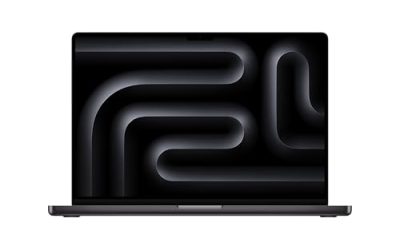
This is the configuration aimed squarely at someone whose laptop is a small lab. The listing pairs 64GB of DDR5 memory with a 4TB NVMe SSD, the largest storage figure in this roundup, so a library of guest images, snapshots and media assets can live on the internal drive instead of an external box. Its 16-inch UHD+ MiniLED panel runs at 120Hz for colour work between VM sessions, and the RTX 4080 gives the host proper graphics acceleration for editing and 3D tools. Note that this is a seller-configured Pro Extreme listing, so the fitted specification is the one in its title.
Specs
- Display: 16-inch UHD+ (3840 x 2400) MiniLED, 120Hz
- Processor: Intel Core Ultra 9 185H, 16 cores
- Graphics: NVIDIA GeForce RTX 4080, 12GB GDDR6
- Memory: 64GB (2 x 32GB) DDR5 5600MHz
- Storage: 4TB NVMe SSD (Samsung 990 PRO)
- Operating system: Windows 11 Pro
- Weight: 4.39 lbs
Best for: creators who keep several large VM images and heavy project files on one internal drive.
Watch out for: this Pro Extreme configuration is built and sold by EXCaliberPC, so confirm the listing still shows 64GB and 4TB fitted before ordering.
ASIN: B0D2LDPN5T
MSI Stealth 16 AI Studio A1VHG-027US

The Stealth takes the same 64GB memory ceiling as the Creator and wraps it in MSI’s slimmer Studio chassis, which suits consultants who carry their lab between client sites. Its listing describes a 16-inch UHD mini LED display at 120Hz, and the RTX 4080 leaves the host enough graphics power for capture, editing or light 3D work while guests run in the background. Storage is the compromise: the listed 1TB NVMe SSD fills quickly once two or three full guest images and their snapshots accumulate, so disciplined image management or external archives become part of the routine.
Specs
- Display: 16-inch UHD+ Mini LED, 120Hz
- Processor: Intel Core Ultra 9-185H
- Graphics: NVIDIA GeForce RTX 4080
- Memory: 64GB DDR5
- Storage: 1TB NVMe SSD
- Connectivity: Thunderbolt 4
- Operating system: Windows 11 Pro
- Colour: Star Blue
Best for: mobile professionals who want 64GB for guests without a bulky workstation chassis.
Watch out for: availability evidence for this exact listing conflicts — the model has been reported discontinued at other retailers, so confirm a live offer on this ASIN before relying on it.
ASIN: B0CP9YH43H
Razer Blade 16 (2024) RZ09-0510TEM4-R3U1

Razer’s entry trades memory capacity for processor headroom. The listing’s Core i9-14900HX provides 24 cores, the highest count here, which flatters setups running several moderately loaded guests at once — a domain test box, a Linux build machine and a network appliance, for example. Its dual-mode Mini LED display switches between UHD+ at 120Hz for detailed creative work and FHD+ at 240Hz when response matters more than pixels. The constraint is the listed 32GB of RAM: enough for two sensible guests beside the host, but the ceiling arrives sooner than on the 64GB MSI configurations.
Specs
- Display: 16-inch Dual Mode Mini LED, UHD+ 120Hz / FHD+ 240Hz
- Colour: full DCI-P3 coverage, Calman Verified (per listing)
- Processor: Intel Core i9-14900HX, 24 cores
- Graphics: NVIDIA GeForce RTX 4080
- Memory: 32GB RAM
- Storage: 2TB SSD
- Operating system: Windows 11
- Finish: Mercury, aluminium unibody
Best for: developers who run several lighter guests in parallel and value core count over memory.
Watch out for: the 32GB is fitted to this exact configuration — check the listing’s configuration selector carefully, because other Blade 16 listings pair different memory with OLED panels.
ASIN: B0CPP96KW2
Which One Fits Your Situation
You keep a whole test lab on one drive
Choose the MSI Creator 16 AI Studio Pro Extreme. Its listed 4TB SSD is the difference between keeping every client image, snapshot chain and media library internally or juggling external drives, and the 64GB of memory lets two generous guests run beside the host. The MiniLED UHD+ panel then covers the creative side of the job when the lab work pauses.
You travel to client sites with your lab in a bag
The MSI Stealth 16 AI Studio fits this pattern: 64GB of memory for a realistic two-guest stack, a slim Studio chassis, and a UHD Mini LED screen that stays readable in bright offices. Its 1TB drive is the one limit to plan around, so archive old guest images before a trip rather than after the disk fills mid-engagement.
You run many small guests at the same time
Pick the Razer Blade 16. A services developer spinning up a database box, an application server, a reverse proxy and a monitoring guest cares more about the 14900HX’s 24 cores than about any single guest’s memory. Keep each allocation lean, because the listed 32GB is shared across everything, and the dual-mode panel handles both console work and detailed editing.
Your creative work leads and VMs support it
Either MSI works, and the choice turns on storage. Video and photo creators who isolate ingest or encoding inside a guest still spend most hours in host applications, where the UHD+ MiniLED panels and RTX 4080 graphics earn their keep. Take the Creator’s 4TB configuration if project archives live locally; take the Stealth if the machine moves daily and archives live elsewhere.
Common Mistakes
- Buying by display first and discovering the configuration only has 16GB or 32GB of RAM, which caps how many guests can run together.
- Assuming every variant of a model line has the same panel — several ranges mix Mini LED, OLED and plain IPS listings under near-identical names.
- Forgetting that snapshots and suspended guests consume storage, so a 1TB drive that looked adequate fills within months.
- Assigning every available core and most of the RAM to guests, leaving the host too starved to stay responsive.
- Skipping the operating system edition in the listing, then finding a workflow that needs Windows 11 Pro features on a Home installation.
Frequently Asked Questions
How much RAM does a laptop need for virtual machines?
Work backwards from your guest list. A host running everyday tools plus one 16GB Windows guest and one 8GB Linux guest sits comfortably in 64GB, while 32GB suits a host with two leaner guests. The listings above state their fitted memory in the title, so match the configuration to your arithmetic rather than to a model name.
Does a Mini LED display change how VMs perform?
The panel does not change virtualisation performance, which is set by cores, memory and storage. It changes how pleasant the work is: local dimming keeps dark consoles and preview windows looking accurate next to bright creative timelines, and the high brightness listed for these panels helps in lit offices. Treat the display as a workspace quality choice layered on top of the VM hardware decision.
Can these laptops run several VMs at the same time?
Yes, within their listed limits. The two 64GB MSI configurations can host a pair of generously sized guests alongside the host system, while the Razer Blade 16’s 24-core processor favours a larger number of smaller guests sharing its 32GB. In every case, leave the host its own cores and memory instead of allocating the entire machine to guests.
What should I check on the listing before ordering?
Confirm four fields against the configuration you intend to buy: the panel wording says Mini LED, the fitted RAM matches your plan, the storage capacity suits your image library, and the operating system edition is the one your tools expect. On seller-configured listings like the Creator Pro Extreme, also confirm the seller name and that a live offer is showing for the exact ASIN.